 BuzzRig
Plug in.
Play the song.
BuzzRig is a guitar practice rig for the Mac. An amp and pedalboard, the song you're learning, and its chords and lyrics, all in one window.
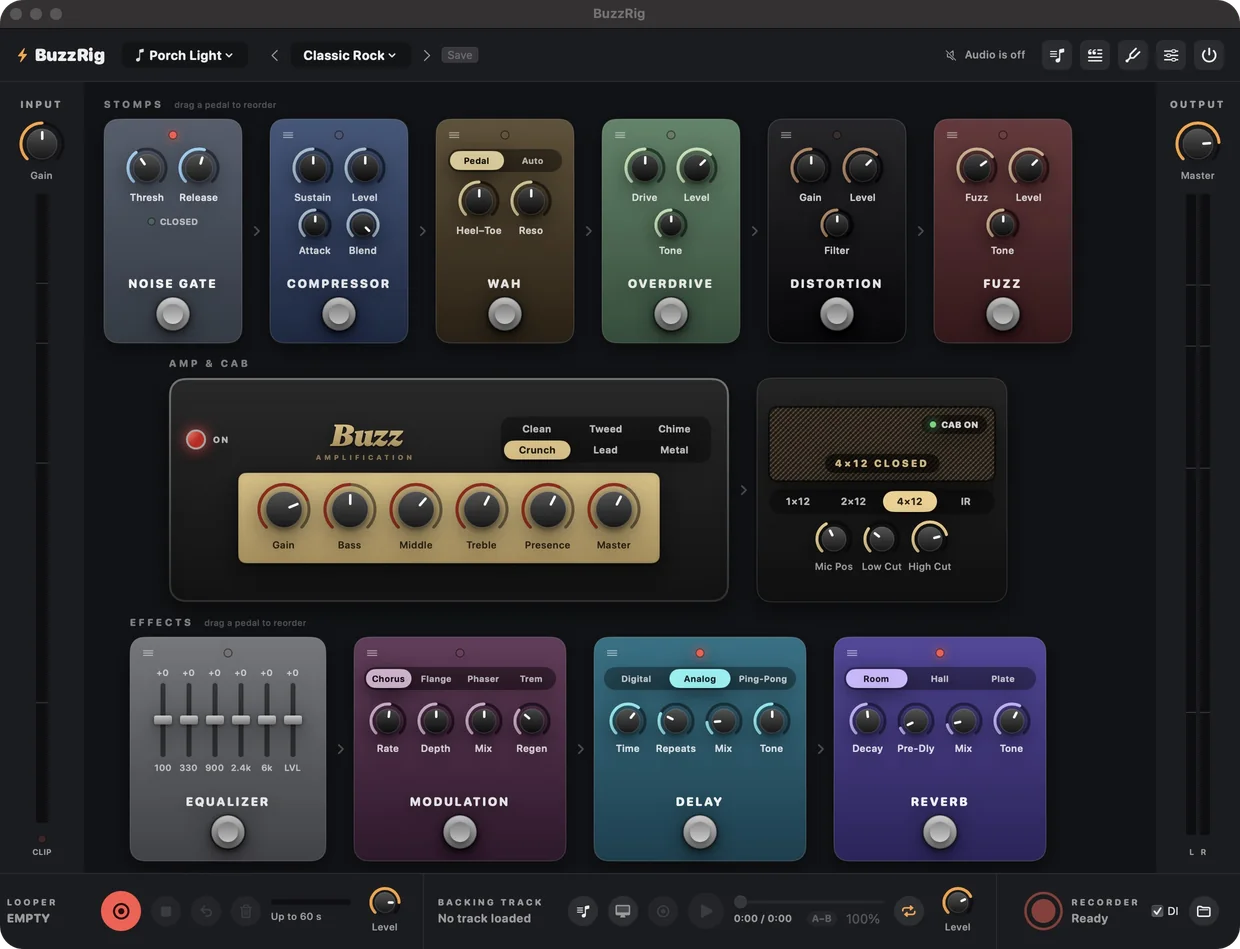
Six amp voices, five stomps, four effects and three cabinets, or your own impulse response. Drag the pedals into any order, or start from one of 14 presets.
Hear the record and your amp from the same speakers.
Most of practice is playing along with something. BuzzRig puts the song and your guitar through one output, so you never juggle two apps and two volume knobs.
- Anything playing on your MacA browser tab, a music app or a lesson video comes through the rig next to your guitar.
- Keep it as a backing trackCapture what's playing once and it's in your track list, ready to pick next time.
- Slow it down, same pitchStep the speed down as far as half while you learn the part.
- Loop the hard bitMark where a section starts and ends, and it goes round until your hands have it.
A section looping at three-quarter speed.
One song, and everything that goes with it.
Every song you practise has its own sound, its own chords and its own words. A song in BuzzRig keeps them together, so picking the song brings all of it back.
- The whole setup, saved as you goThe rig's sound, the chords and fingerings, the progression, the lyrics, and the backing track with its speed.
- A lyric sheet that scrolls itselfPaste the words, click a word to put a chord over it, and let Auto-Scroll roll the page while your hands are busy.
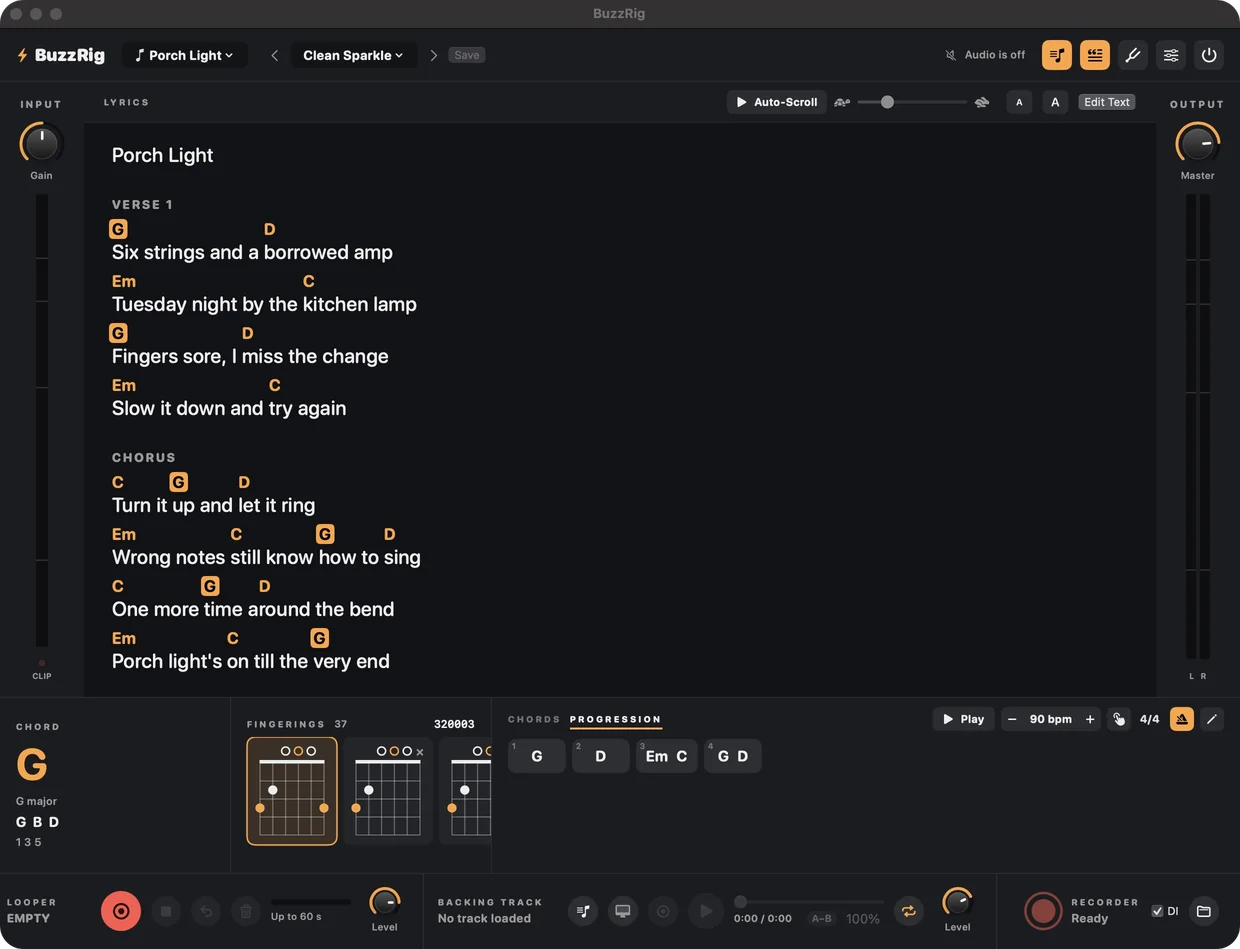
Every way to play a chord, side by side.
- Pick the shape your hand likesClick a chord to see its notes and all of its fingerings at once. Your choice sticks.
- Progressions that keep timeType G | D | Em C | % and press Play. You get a one-bar count-in, a click, and each chord's shape as its bar arrives.

Set up by playing, not by reading a manual.
The first time it opens, a short guide gets you from plugged in to a good sound without a trip through an audio settings panel.
- No audio interface? It still runs.Play an acoustic along with the track, the click, the chords and the lyrics.
The rest of a practice corner.
Looper
Record a rhythm part, loop it and solo over it. Overdub layers, with undo, on loops up to a minute long.
Tuner
One keystroke away, and it mutes your output while you tune.
Recorder
Save what you hear as a 24-bit WAV, with the dry guitar alongside in case you want a different sound later.
iPhone remote
BuzzRemote puts the tuner, pedals, looper, chords and lyrics on the phone by your side, over your own Wi-Fi.
Foot control
Any MIDI footswitch can learn any button or knob. An expression pedal works the wah out of the box.
Audio Unit
The same amp and effects load as a plugin in GarageBand and Logic.
No account. No sign-in. No studio to learn first.
BuzzRig is a native Mac app. Your songs and presets are files on your own Mac, and the app opens straight to your rig.
In development.
BuzzRig isn't available to download yet. This page will have it when it is.
- Mac
- macOS 14 or later. Playing Mac audio through the rig needs macOS 14.2.
- Guitar in
- Any audio interface. Optional if you only play along.
- Listening
- Wired headphones or speakers. Bluetooth adds too much delay to play through.
- iPhone
- BuzzRemote needs iOS 17 or later, on the same network as the Mac.